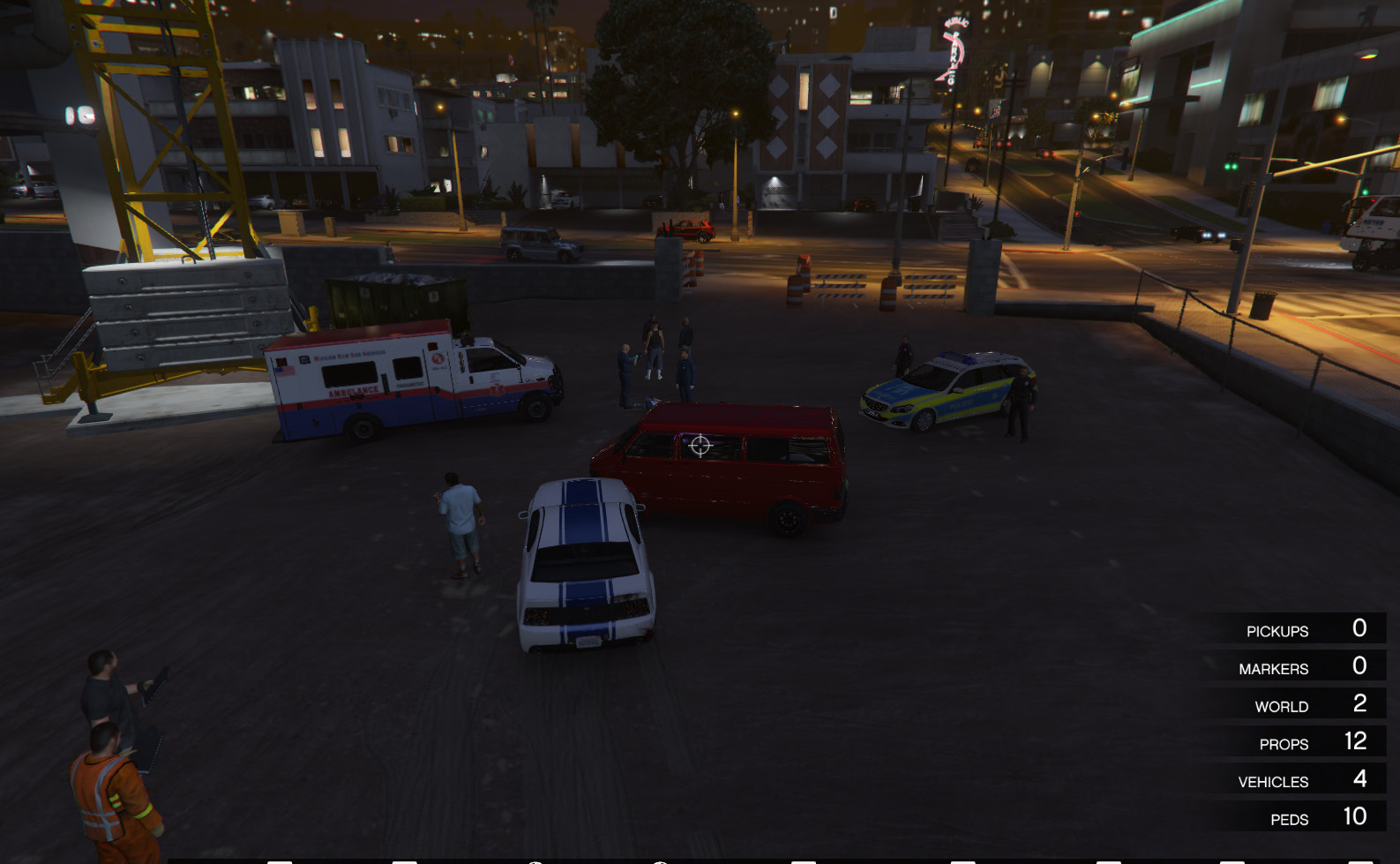
Small Accident 0.1



![USS Lexington Fleet [Add-On SP / FiveM]](https://img.gta5-mods.com/q75-w500-h333-cfill/images/uss-lexington-fleet-add-on-sp-fivem/79ef5a-ld_lex5.jpg "USS Lexington Fleet [Add-On SP / FiveM]")

![garage workshop [Add-On]](https://img.gta5-mods.com/q75-w500-h333-cfill/images/oficina-garagem-add-on/6b246b-Screenshot_154.png "garage workshop [Add-On]")


204
5
204
5
First, you must download and install MapEditor by GuadMaz here: https://www.gta5-mods.com/scripts/map-editor.
Use the instructions there to do so.
There are two methods of installing this. Either you drag the file named "scripts" to you GTA directory and it'll load the map every time you play,
automatically, or you do it manually. To do it manually, drag the file "Small Accident"
from the "Manual Install" folder to your GTA Directory. Start up your game, and using MapEditor, select "Load Mod" and type in "Small Accident
" without the quotes. The map will load. You'll have to do this every time you play.
Use the instructions there to do so.
There are two methods of installing this. Either you drag the file named "scripts" to you GTA directory and it'll load the map every time you play,
automatically, or you do it manually. To do it manually, drag the file "Small Accident"
from the "Manual Install" folder to your GTA Directory. Start up your game, and using MapEditor, select "Load Mod" and type in "Small Accident
" without the quotes. The map will load. You'll have to do this every time you play.
Carregat: 04 de Març de 2017
Últim descarregat: 12 de Juny de 2026
0 Comentaris
More mods by sprintelekk:
First, you must download and install MapEditor by GuadMaz here: https://www.gta5-mods.com/scripts/map-editor.
Use the instructions there to do so.
There are two methods of installing this. Either you drag the file named "scripts" to you GTA directory and it'll load the map every time you play,
automatically, or you do it manually. To do it manually, drag the file "Small Accident"
from the "Manual Install" folder to your GTA Directory. Start up your game, and using MapEditor, select "Load Mod" and type in "Small Accident
" without the quotes. The map will load. You'll have to do this every time you play.
Use the instructions there to do so.
There are two methods of installing this. Either you drag the file named "scripts" to you GTA directory and it'll load the map every time you play,
automatically, or you do it manually. To do it manually, drag the file "Small Accident"
from the "Manual Install" folder to your GTA Directory. Start up your game, and using MapEditor, select "Load Mod" and type in "Small Accident
" without the quotes. The map will load. You'll have to do this every time you play.
Carregat: 04 de Març de 2017
Últim descarregat: 12 de Juny de 2026
Uneix-te a la conversa! Inicia Sessió o Registre per una compte per poder comentar.
 5mods on Discord
