Enhanced Camera 2.0.0


4.106
42
-
 27 de Març de 2026
////////////////UPDATE VERSION 2.0.0/////////////
Fixed keyboard menu spam/glitching for Up / Down / Enter / Back
Kept Left / Right fast for slider tuning
Added CAMERAS ON/OFF submenu
Added per-camera toggles for 1P, 3P, vehicle, aim, and scene cam
Added global mod toggle on F3
Added Camera Switch Popups ON/OFF toggle
Added INI support for new toggles
Fixed 3P horizontal X sliders so shoulder side no longer blocks them
Added 3P on-foot wall/object hard-stop collision
Added 3P on-foot ceiling avoidance
Added 3P vehicle wall/object hard-stop collision
Added 3P vehicle ceiling avoidance
Vehicle collision ignores the players own vehicle
compatibility with :
Dynamic Vehicle First Person Camera (make sure to check it out if you havent already)
https://www.gta5-mods.com/scripts/dynamic-vehicle-first-person
turn off first person vehicle and vehicle aiming in the cameras toggle menu
///////////////////////////////////////////////////////////
Take full control of your perspective.
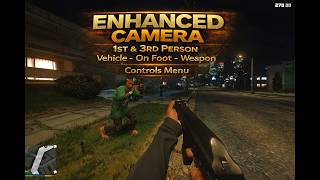
Enhanced Camera completely rebuilds the way first person and third person camera systems behave in GTA V. Designed for players who want precision, immersion, and total customization, this mod gives you full authority over how the game feels on foot, in vehicles, during cutscenes, and while aiming.
No gimmicks. No PAY wall. Just control.
FEATURES:
///Menu & Controls//// (press F7 in game to open menu) (aiming adjustments cant be made while aiming unfortunatly)
Enhanced Camera features a clean, responsive in-game mod menu designed for quick access and full control.
The menu allows you to:
Adjust camera position and FOV in real-time
Tune crosshair size, thickness, and transparency
Toggle scope view and special camera modes
Modify smoothing, offsets, and vehicle settings
Enable or disable features instantly
All settings update live no restart required.
Controls are fully integrated for both keyboard and controller users, with intuitive navigation and smooth input response. Adjustments are precise, allowing you to fine-tune your experience exactly how you want it, and save it directly to your ini.
////Weapon Camera Controls////
Custom aim positioning
Adjustable crosshair size, thickness & transparency
Scope toggle system
Dynamic red-on-ped detection
Clean reticle behavior in vehicles and on foot
////Vehicle Camera Controls////:
Fully customizable vehicle FOV
Smooth rotation tuning
Adjustable camera offsets
Free-orbit tuning
Natural transition between states
////On-Foot Camera Controls////
Adjustable head position
Arm positioning refinements
FOV control
Rotation smoothing for cinematic movement
True immersion without the wrist zoom effect
/// Cutscene Camera Controls///:
Seamless integration during strip scenes & scripted moments
Custom camera logic applied consistently
No snapping or broken transitions
///////////////////////////////////////////////Requirements//////////////////////////////////////////////////////
Ensure the following are installed:
- ScriptHookV INSTALL THE CORECT VERSION FOR YOUR VERSION OF GTA 5
https://www.dev-c.com/gtav/scripthookv/
- ScriptHookVDotNetEnhanced ---ABSOLUTEY REQUIRED --DESPITE THE NAME WILL WORK ON BOTH LEGACY AND ENHANCED VERSIONS -----
https://www.gta5-mods.com/tools/script-hook-v-net-enhanced
--GITHUB--
https://github.com/Chiheb-Bacha/ScriptHookVDotNetEnhanced
////////////////////////////////////////////////////Installation ////////////////////////////////////////////////////
Locate Your GTA V Root Folder
1. Go to:
C: Program Files (x86) Steam steamapps common Grand Theft Auto V
(Or wherever your Steam library is installed.)
2.Open the scripts Folder
Inside the GTA V folder, open the scripts folder.
If it doesnt exist, create a new folder and name it exactly: scripts
3. Drag & Drop the Files
Place the mod .dll file into the scripts folder.
4. Launch GTA V (Story Mode), and the mod will load automatically and generate your ini file within your scripts folder
If you screw up your ini to crazy , delete the INI file and restart the game to restore defaults.
/////////suggestions//////
leave a comment if theres something you think is missing or want to see and maybe itll be implemented in the future, be respectful and kind to better your chances
///////////////UPDATE VERSION 1.0.1//////////////////
ADDED FULL 3RD PERSON CAMERA CONTROLS - VEHICLE-ON FOOT- WEAPONS -
Cleaner menu overall put 1st 3rd cutscenes and toggles in their own submenus
Weapon position adjustment system so the player can fine-tune where guns while in the mod menu
Per-weapon offset saving so different weapon types can have their own placement.
Vehicle camera support with separate behavior while driving or riding in vehicles.
Each vehicle can be saved individually within the menu, and will be saved to ini --next time you enter that vehicle the saved settings will be applied
--the script does not have control in story cutscenes, only for lapdances, robberys, ect, will be cutscene controls --
toggle mod on and off with f3 for compatibility with other mods (accessing menus, ect)
--------------------------------------------------
Permissions
--------------------------------------------------
This mod is released for PERSONAL USE ONLY.
Reuploading, redistributing, modifying, reverse engineering,
or including this mod in mod packs is NOT permitted without
explicit written permission from:
DonDonny / hanks905
Carregat per primera vegada: 18 de Febrer de 2026
Actualització més recent: 27 de Març de 2026
Últim descarregat: fa 4 minuts
92 Comentaris
////////////////UPDATE VERSION 2.0.0/////////////
Fixed keyboard menu spam/glitching for Up / Down / Enter / Back
Kept Left / Right fast for slider tuning
Added CAMERAS ON/OFF submenu
Added per-camera toggles for 1P, 3P, vehicle, aim, and scene cam
Added global mod toggle on F3
Added Camera Switch Popups ON/OFF toggle
Added INI support for new toggles
Fixed 3P horizontal X sliders so shoulder side no longer blocks them
Added 3P on-foot wall/object hard-stop collision
Added 3P on-foot ceiling avoidance
Added 3P vehicle wall/object hard-stop collision
Added 3P vehicle ceiling avoidance
Vehicle collision ignores the players own vehicle
compatibility with :
Dynamic Vehicle First Person Camera (make sure to check it out if you havent already)
https://www.gta5-mods.com/scripts/dynamic-vehicle-first-person
turn off first person vehicle and vehicle aiming in the cameras toggle menu
///////////////////////////////////////////////////////////
Take full control of your perspective.
Enhanced Camera completely rebuilds the way first person and third person camera systems behave in GTA V. Designed for players who want precision, immersion, and total customization, this mod gives you full authority over how the game feels on foot, in vehicles, during cutscenes, and while aiming.
No gimmicks. No PAY wall. Just control.
FEATURES:
///Menu & Controls//// (press F7 in game to open menu) (aiming adjustments cant be made while aiming unfortunatly)
Enhanced Camera features a clean, responsive in-game mod menu designed for quick access and full control.
The menu allows you to:
Adjust camera position and FOV in real-time
Tune crosshair size, thickness, and transparency
Toggle scope view and special camera modes
Modify smoothing, offsets, and vehicle settings
Enable or disable features instantly
All settings update live no restart required.
Controls are fully integrated for both keyboard and controller users, with intuitive navigation and smooth input response. Adjustments are precise, allowing you to fine-tune your experience exactly how you want it, and save it directly to your ini.
////Weapon Camera Controls////
Custom aim positioning
Adjustable crosshair size, thickness & transparency
Scope toggle system
Dynamic red-on-ped detection
Clean reticle behavior in vehicles and on foot
////Vehicle Camera Controls////:
Fully customizable vehicle FOV
Smooth rotation tuning
Adjustable camera offsets
Free-orbit tuning
Natural transition between states
////On-Foot Camera Controls////
Adjustable head position
Arm positioning refinements
FOV control
Rotation smoothing for cinematic movement
True immersion without the wrist zoom effect
/// Cutscene Camera Controls///:
Seamless integration during strip scenes & scripted moments
Custom camera logic applied consistently
No snapping or broken transitions
///////////////////////////////////////////////Requirements//////////////////////////////////////////////////////
Ensure the following are installed:
- ScriptHookV INSTALL THE CORECT VERSION FOR YOUR VERSION OF GTA 5
https://www.dev-c.com/gtav/scripthookv/
- ScriptHookVDotNetEnhanced ---ABSOLUTEY REQUIRED --DESPITE THE NAME WILL WORK ON BOTH LEGACY AND ENHANCED VERSIONS -----
https://www.gta5-mods.com/tools/script-hook-v-net-enhanced
--GITHUB--
https://github.com/Chiheb-Bacha/ScriptHookVDotNetEnhanced
////////////////////////////////////////////////////Installation ////////////////////////////////////////////////////
Locate Your GTA V Root Folder
1. Go to:
C: Program Files (x86) Steam steamapps common Grand Theft Auto V
(Or wherever your Steam library is installed.)
2.Open the scripts Folder
Inside the GTA V folder, open the scripts folder.
If it doesnt exist, create a new folder and name it exactly: scripts
3. Drag & Drop the Files
Place the mod .dll file into the scripts folder.
4. Launch GTA V (Story Mode), and the mod will load automatically and generate your ini file within your scripts folder
If you screw up your ini to crazy , delete the INI file and restart the game to restore defaults.
/////////suggestions//////
leave a comment if theres something you think is missing or want to see and maybe itll be implemented in the future, be respectful and kind to better your chances
///////////////UPDATE VERSION 1.0.1//////////////////
ADDED FULL 3RD PERSON CAMERA CONTROLS - VEHICLE-ON FOOT- WEAPONS -
Cleaner menu overall put 1st 3rd cutscenes and toggles in their own submenus
Weapon position adjustment system so the player can fine-tune where guns while in the mod menu
Per-weapon offset saving so different weapon types can have their own placement.
Vehicle camera support with separate behavior while driving or riding in vehicles.
Each vehicle can be saved individually within the menu, and will be saved to ini --next time you enter that vehicle the saved settings will be applied
--the script does not have control in story cutscenes, only for lapdances, robberys, ect, will be cutscene controls --
toggle mod on and off with f3 for compatibility with other mods (accessing menus, ect)
--------------------------------------------------
Permissions
--------------------------------------------------
This mod is released for PERSONAL USE ONLY.
Reuploading, redistributing, modifying, reverse engineering,
or including this mod in mod packs is NOT permitted without
explicit written permission from:
DonDonny / hanks905
Carregat per primera vegada: 18 de Febrer de 2026
Actualització més recent: 27 de Març de 2026
Últim descarregat: fa 4 minuts
-

Yes, I'm on legacy. Sadly, I do not have discord. This sounds like a weird question, but do you have TikTok? We can msg and send images there instead?
28 de Març de 2026 -
@imhereforgta i dont brother. and unfortunately i do not have legacy or testers to give a hard reason why its not loading for your build. apologies brother. im working on something atm, but once i get these projects sorted ill look more into legacy, and ask around on what i can do
28 de Març de 2026 -
No worries, fortunately I am pretty good myself at stuff like this. I'll check back tomorrow, and in the meantime I'll see what I can do!
28 de Març de 2026 -

-
-
if theres some feature this script doesnt have lmk! always doing updates
28 de Març de 2026 -
Love the mod! Would love to have the options to adjust or even disable the ceiling avoidance entirely, to better acheive that drone camera effect.
Also (maybe this is a long shot) would love the ability to swap between camera angle presets without having to access menus. For situations where I have multiple cool third-person angles that I wanted to cycle through.
28 de Març de 2026 -
@acute Hey, thank you. ---regarding ceiling avoidance, im not sure if its totally possible to turn all the way off -- i had collision off in version 1.0.1 but it would cause interiors to just be blacked out when using higher settings in menu, its something i can look into again to see if i can get interiors loaded but above the building --- regarding the 3rd person presets and swaps, that seems totally doable and a great idea , id just have to see about making a keybind in menu, if not may need to be set thru ini. --thanks for your feedback if i can get what your looking for implemented ill @ when its out
28 de Març de 2026 -
@DonDonny thanks for the swift response! As for turning off the ceiling avoidance, I do think it's somewhat necessary, at least from what I've experienced. I've been enjoying using the 3P camera while I BMX around the map, but if the camera angle is very distant, it zooms in really hard and fast under some strange conditions. For instance, while cruising under street lights, or worst of all: when riding through bushes. Try setting your 3P cam to be really high up, really far back, and ride a bike through a bush as a test. The effect is a bit extreme.
Thanks again for the time and work you've put in so far. I'll be eagerly awaiting an update!
28 de Març de 2026 -
-
Hi DonDonny, thanks for your nice work. My question is if this mod is able to toggle on/off the camera shake while driving on high speeds, like "Extended Camera Settings" by CamxxCore does/did. Thanks again!
29 de Març de 2026 -

-
@DonDonny yes like the outdated mod it was integrated so flawless works perfect on my non steam version. btw i m someone who hates keyboards CONTROLLER ONLY. cannont beat that seamless ui. hope yu do one day. this interferes with my heavly modded game keybinds. thats another reason. good work for others tho who ok with that
01 de Abril de 2026 -
.jpg)
@Southsde i agree w u gng the older extended camera settings mod's ui was lwkenuinly seamless and really userfriendly. @DonDonny hope you'll update this mod's ui/interface similarly to the og mod that would be a big win also u should make it so that the changes applied effect the default 3rd person and 1st person in game rather than having a "new/diff" mode for it cz the game get's very glitchy and sluggish when switching between camera modes. on enhanced btw so no my game isnt bugging out, i js think the mod needs to be fixed a bit
19 de Abril de 2026 -

@dondonny does this have a camera lock function when driving a vehicle? Like it locks the camera relative to the vehicle so it doesn't auto center in 3rd person
26 de Abril de 2026 -
-
@DonDonny hi im struggling to use your mod cuz its not working and i heard u use enhanced gta so is there a way to make it work on legacy and i tried to go in your discord link and it didnt workso could i have some help
11 de Maig de 2026 -
It feels very janky rn, I love the concept of the mod but the execution of it just lacks, at times when changing camera prespective it feels like the vanilla cam is trying to overlap the enhanced cam mod and they fight over each other making it annoying as hell and when it is functioning it tends to have a wierd smoothness effect and makes the mouse input feel sluggish.
fa 9 dies -
-
 5mods on Discord

////////////////UPDATE VERSION 2.0.0/////////////
Fixed keyboard menu spam/glitching for Up / Down / Enter / Back
Kept Left / Right fast for slider tuning
Added CAMERAS ON/OFF submenu
Added per-camera toggles for 1P, 3P, vehicle, aim, and scene cam
Added global mod toggle on F3
Added Camera Switch Popups ON/OFF toggle
Added INI support for new toggles
Fixed 3P horizontal X sliders so shoulder side no longer blocks them
Added 3P on-foot wall/object hard-stop collision
Added 3P on-foot ceiling avoidance
Added 3P vehicle wall/object hard-stop collision
Added 3P vehicle ceiling avoidance
Vehicle collision ignores the player’s own vehicle
MAKE SURE TO LIKE AND SUBSCRIBE IT MEANS ALOT -- CHECK OUT MY OTHER MODS --