




73.983
887
73.983
887
Information:
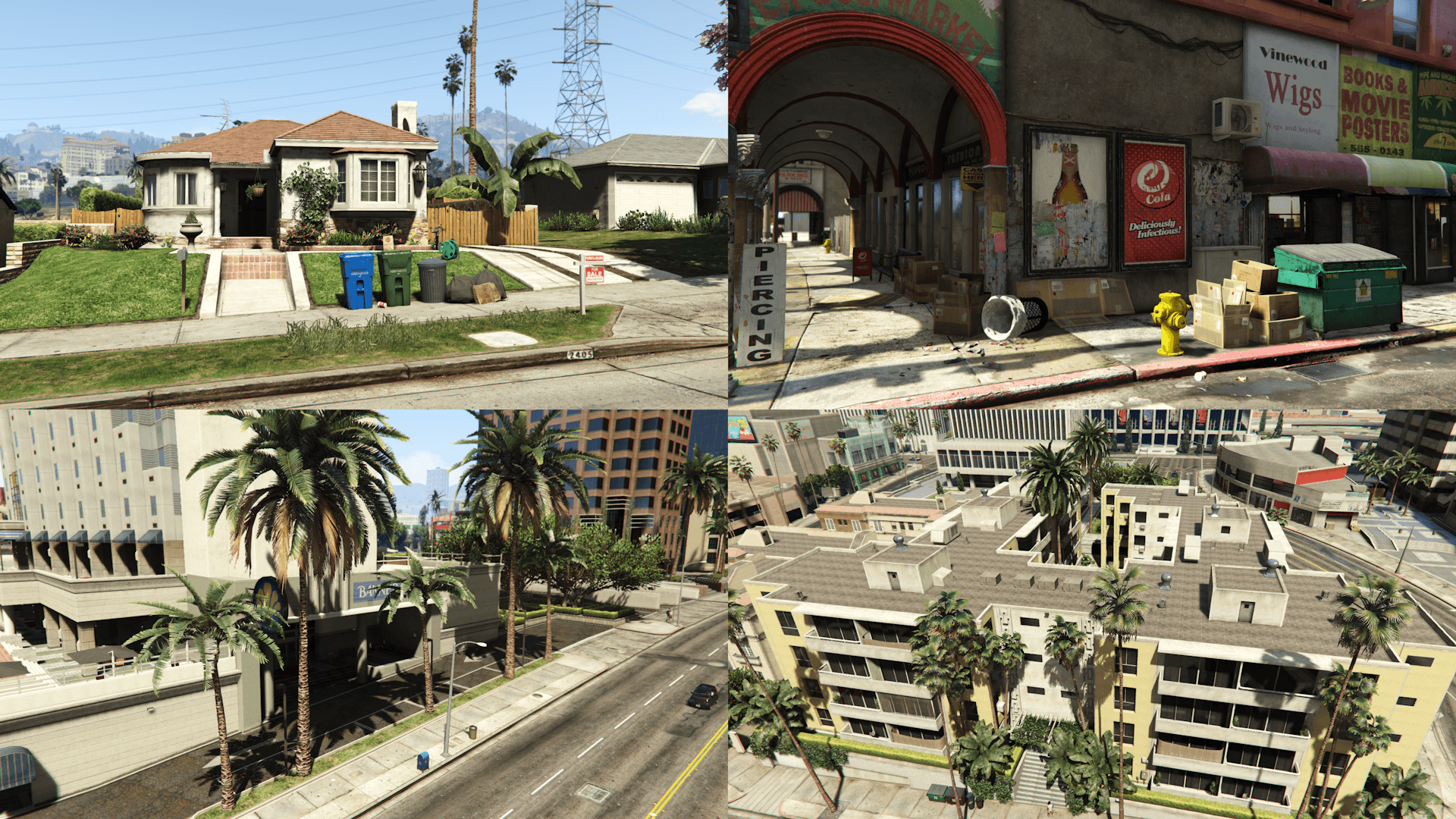
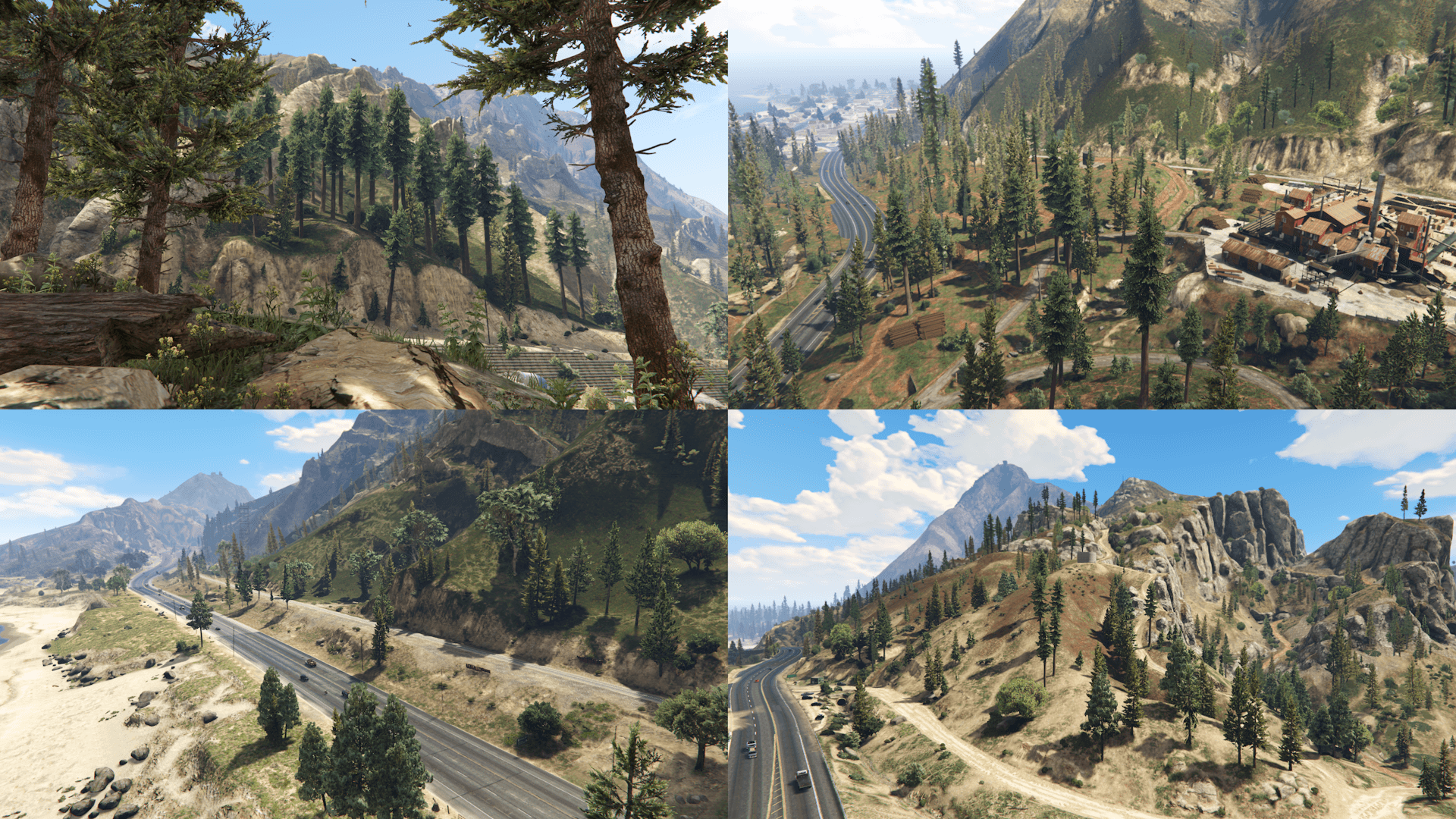
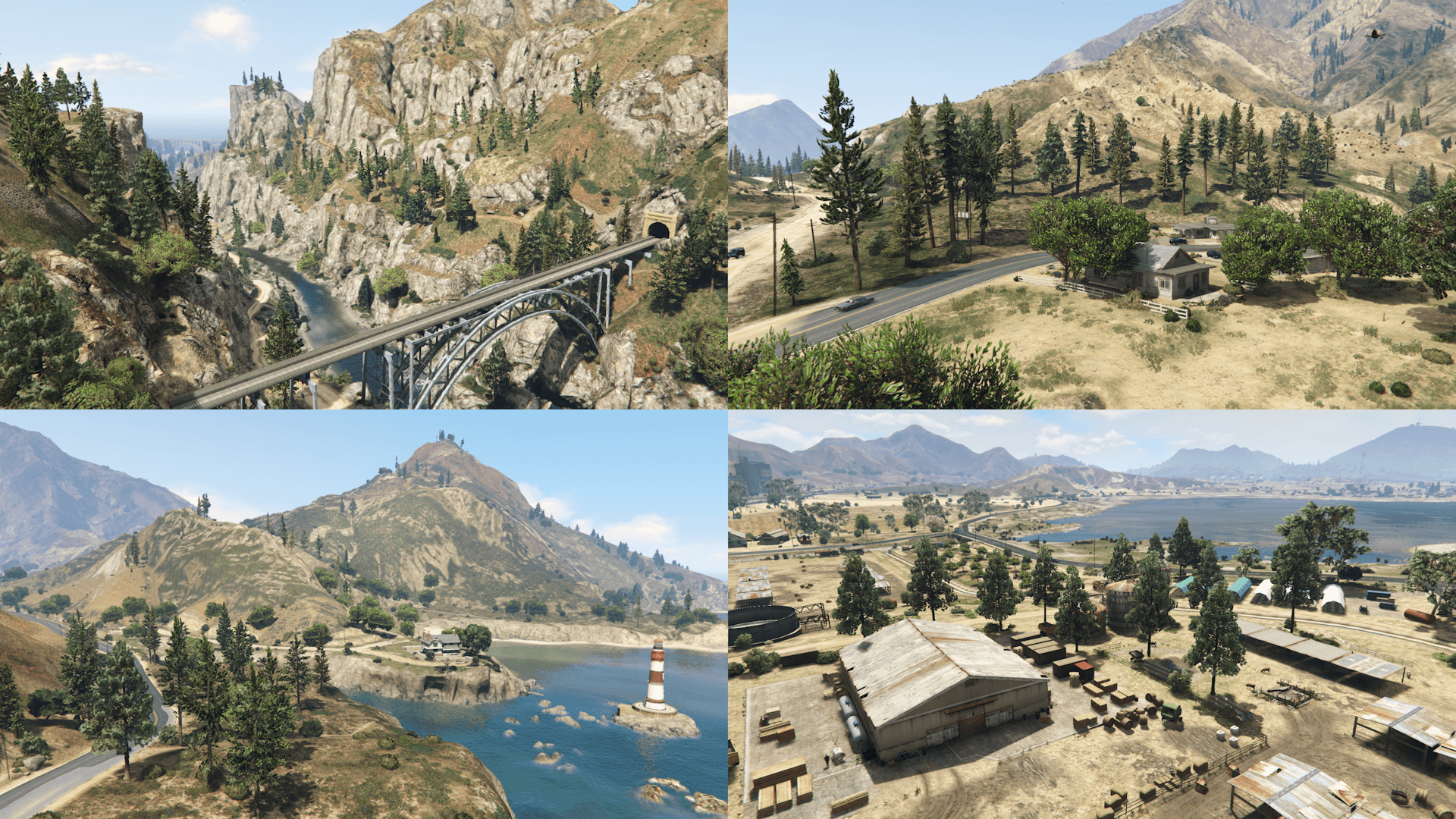
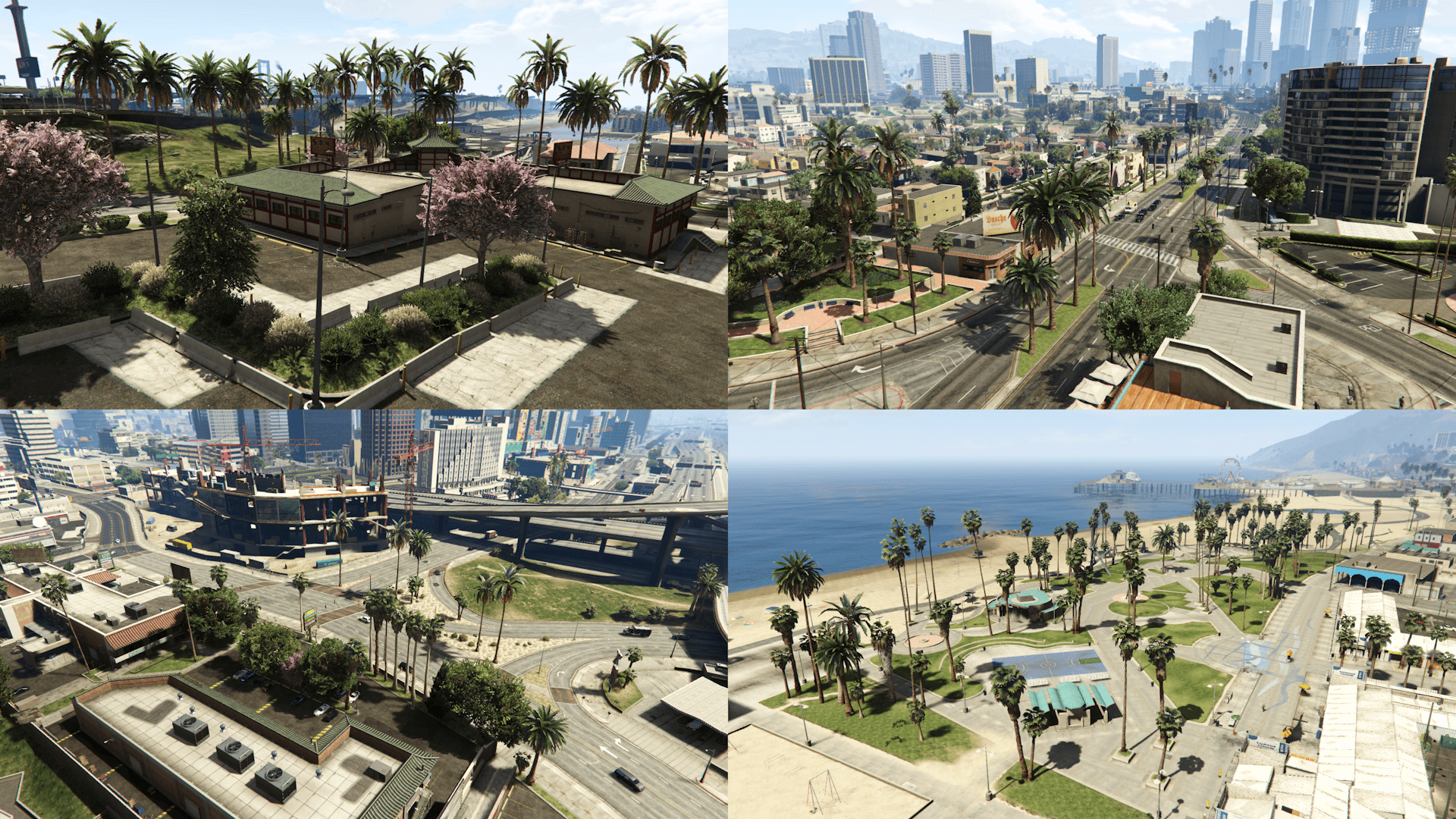
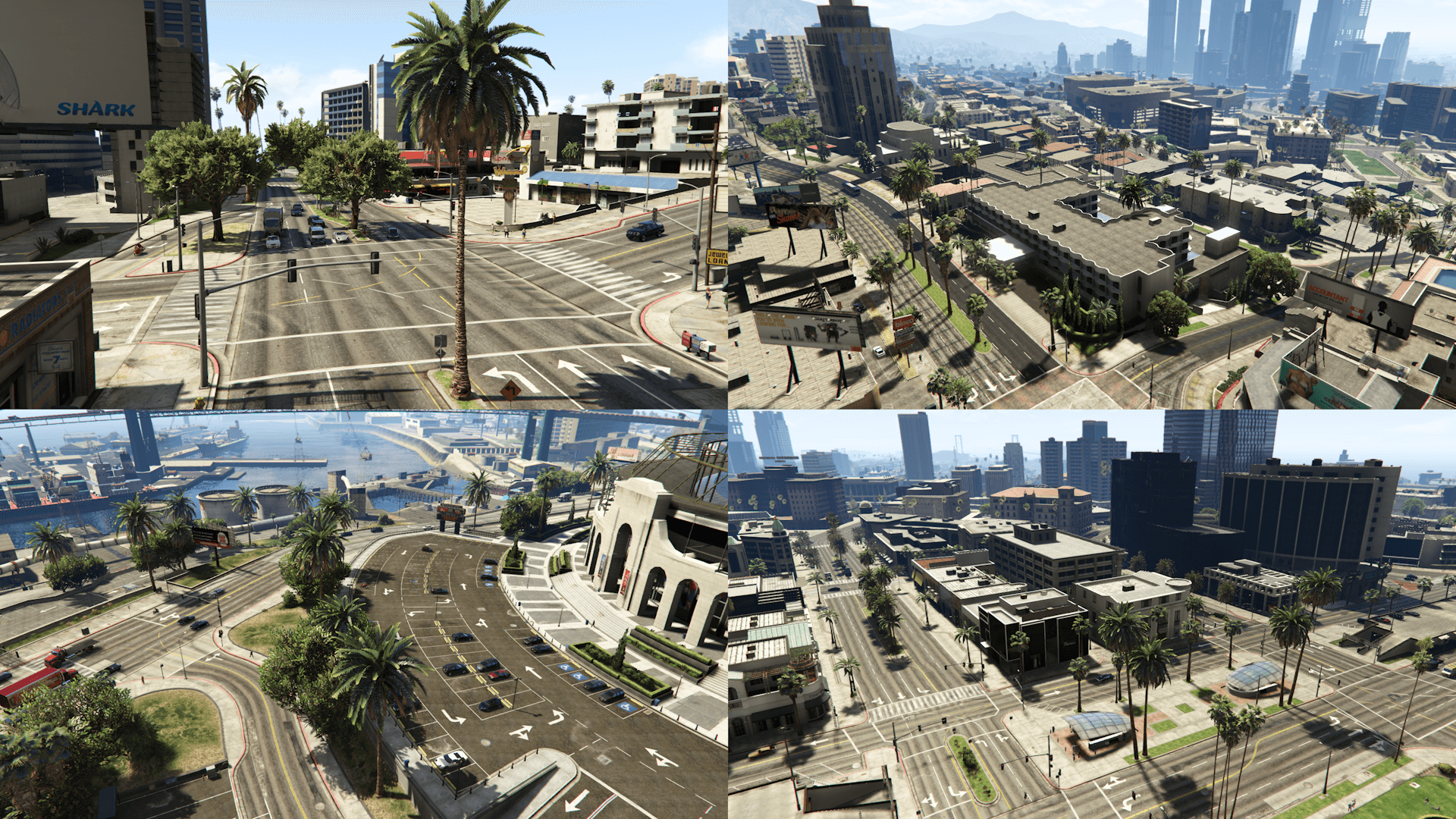
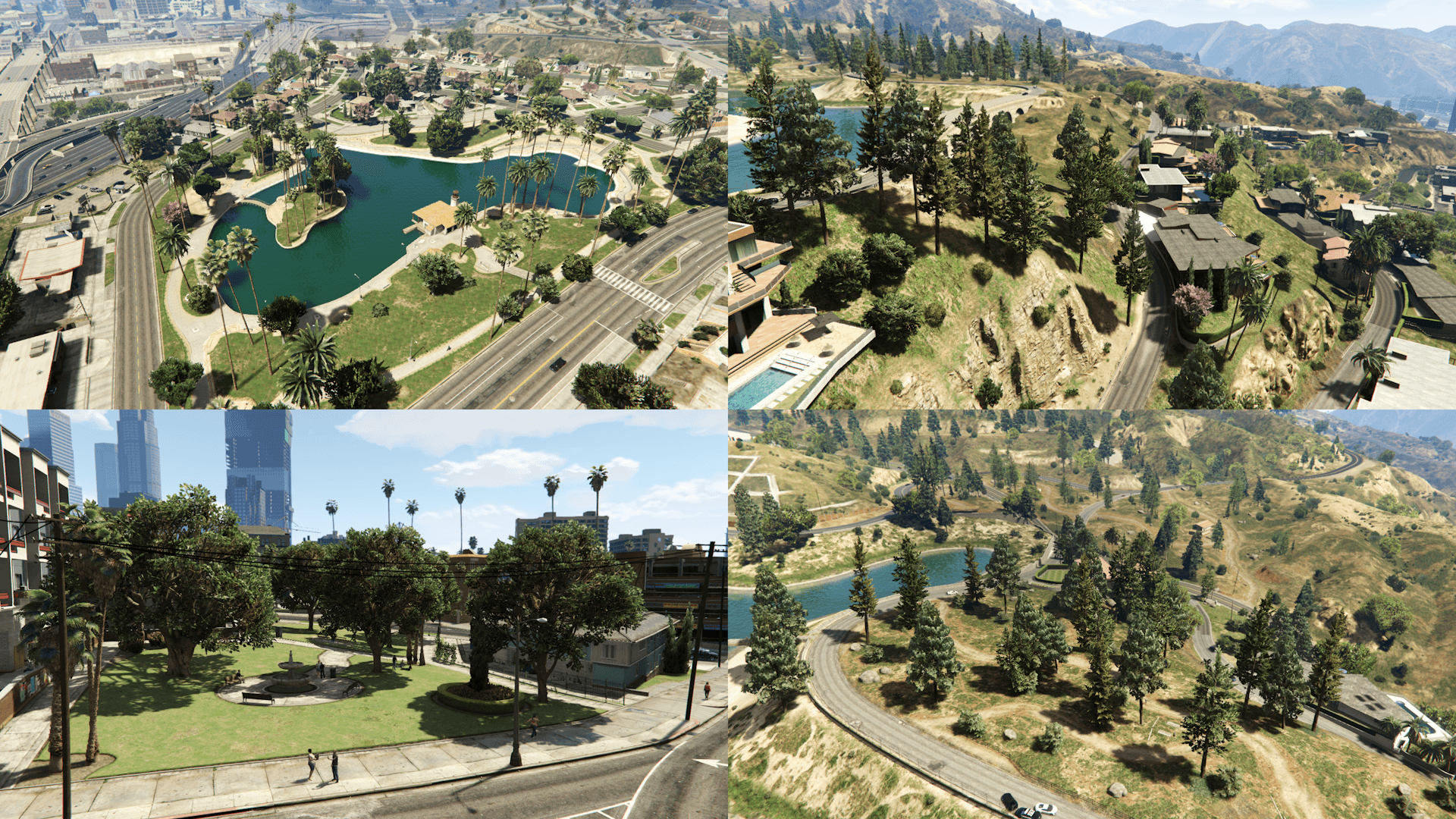
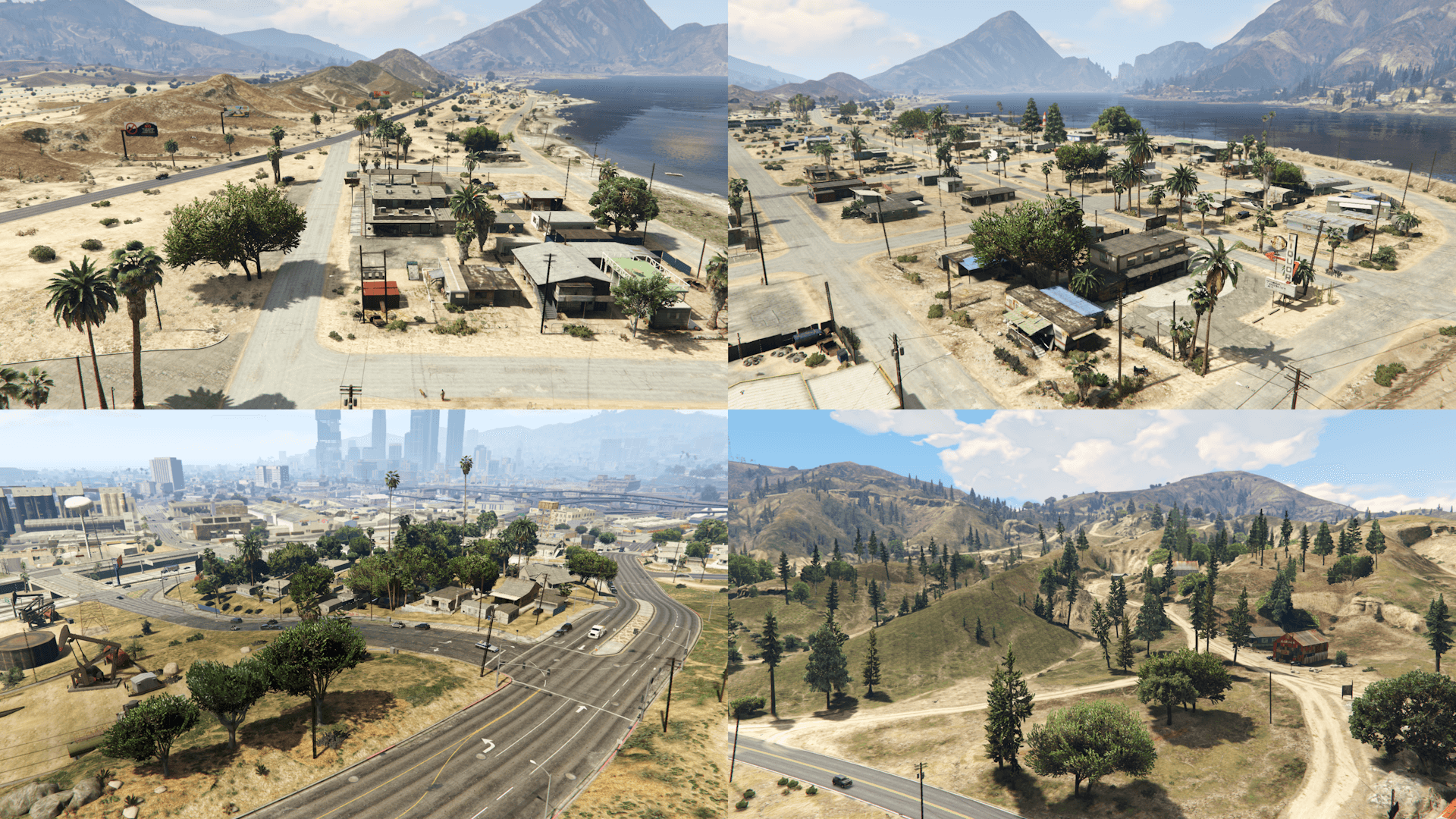
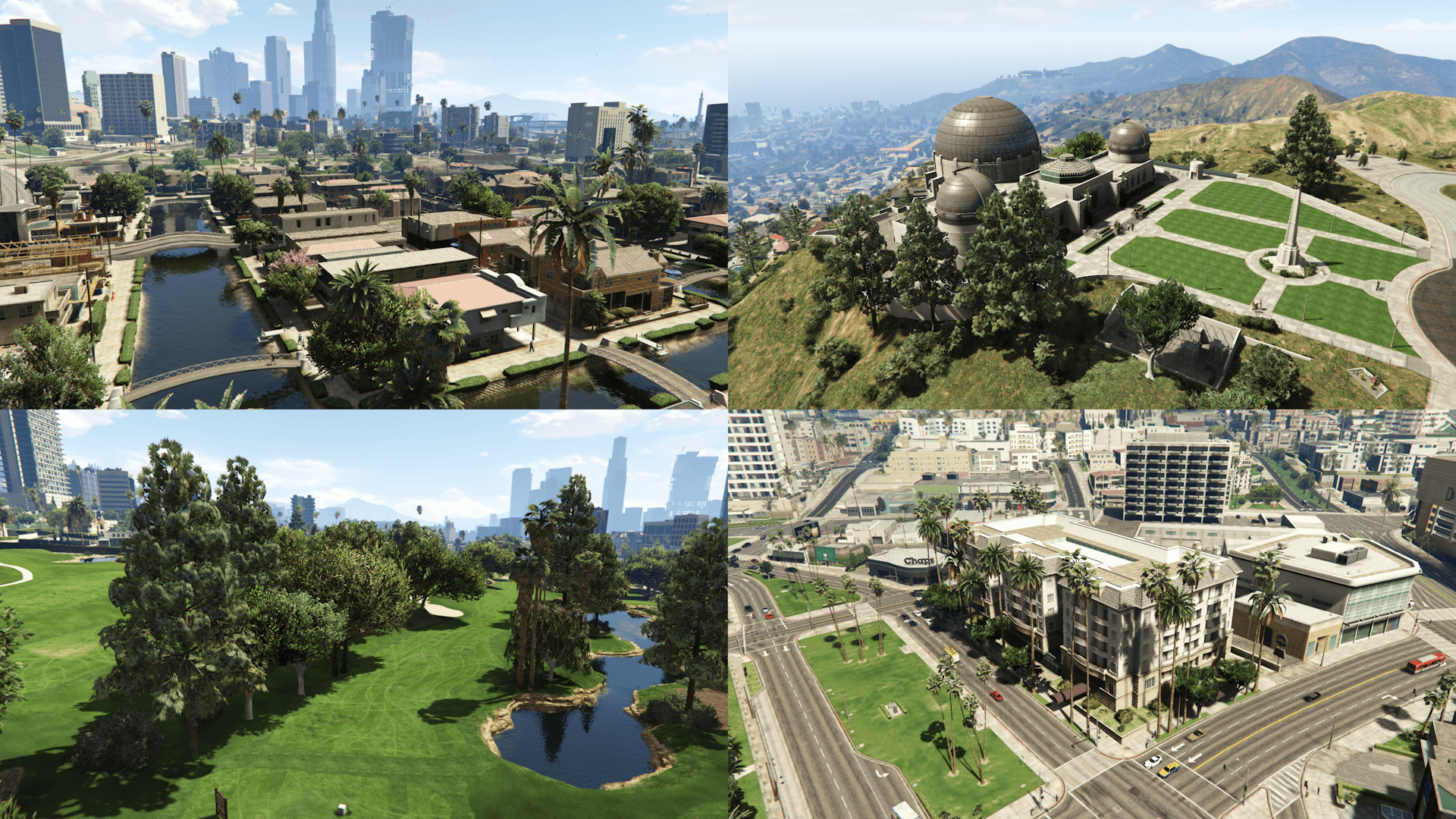
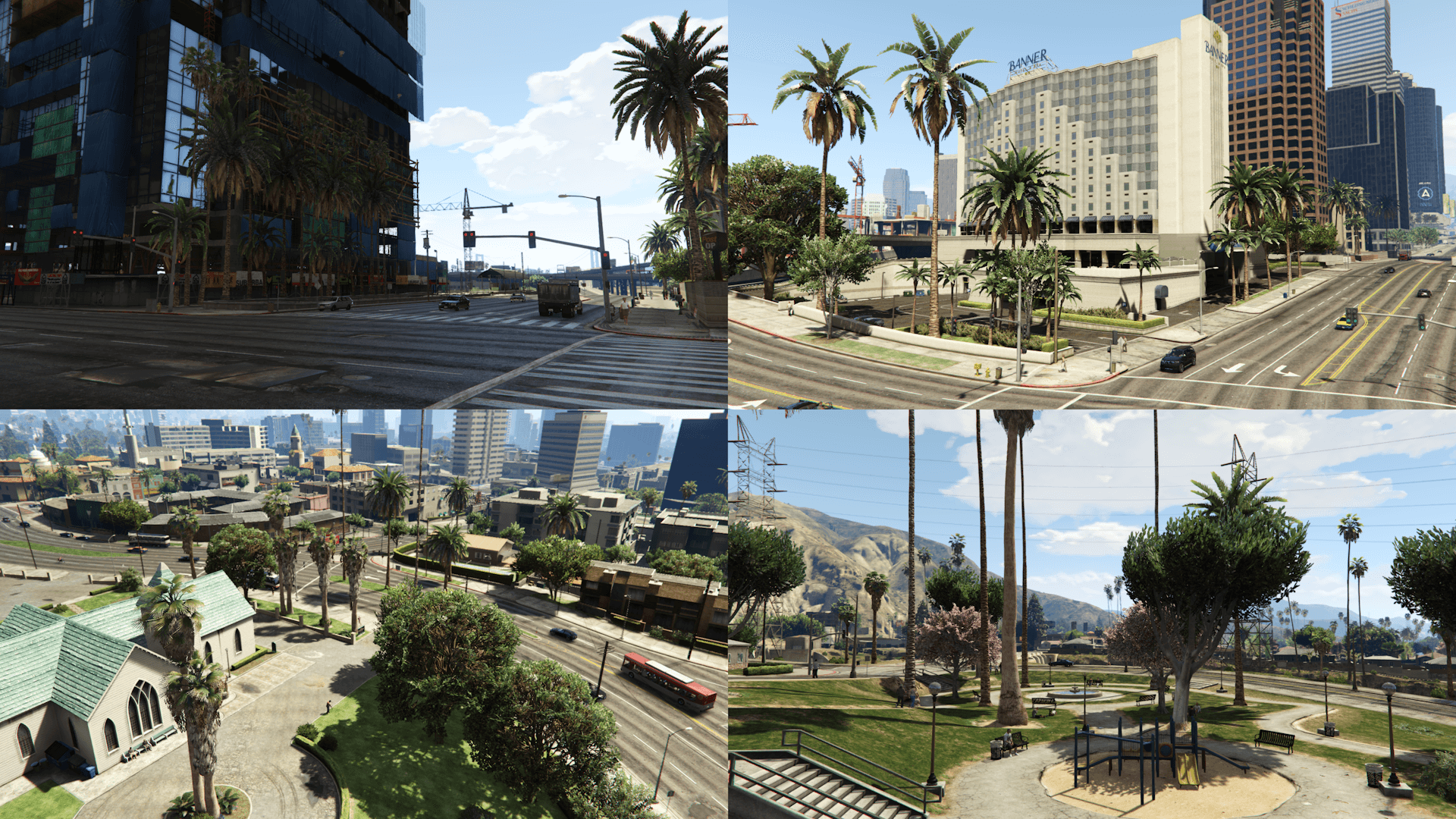
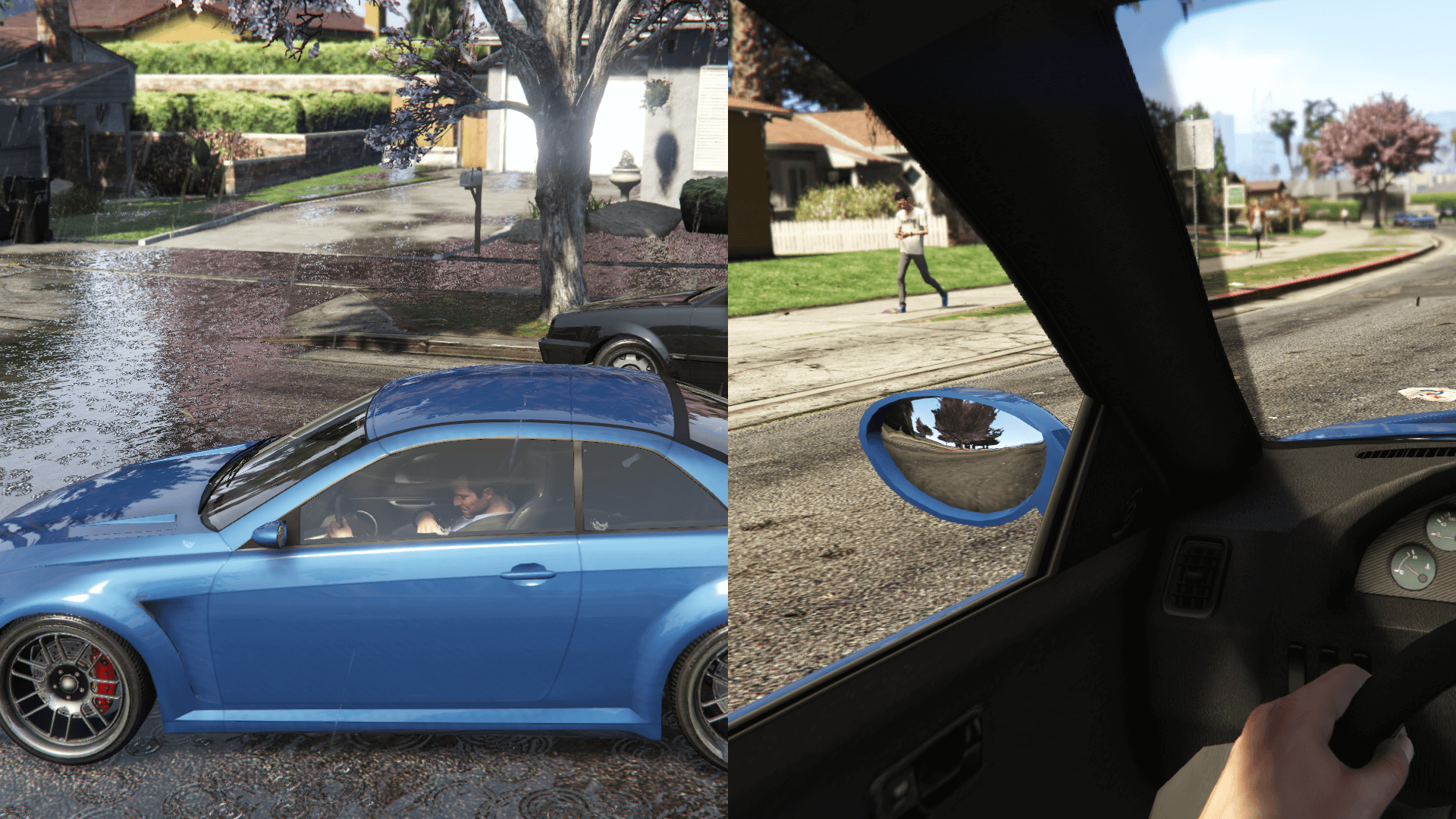
This mod restores, as faithfully as possible, cut vegetation and props placements as well as making various changes to the map and interiors, based on the beta version(s) of the game
Everything was done using promotional screens and trailers, in game tv shows and commercials and some other stuff (game files/textures, missions thumbnails, etc.) as reference
Requirements (Legacy):
- CodeWalker or OpenIV
- OpenIV.asi ( included with OpenIV )
- OIV Package Installer
- HeapAdjuster
- Packfile Limit Adjuster
- Custom Gameconfig
- fwBoxStreamerVariable Patch
Requirements (Enhanced):
- CodeWalker. Note: download the latest version from the Discord server
- OpenRPF
- OIV Package Installer
- HeapAdjuster Enhanced
- Packfile Limit Adjuster Enhanced
- Custom Gameconfig
- fwBoxStreamer + DecalsPatch (Enhanced)
Installation (Legacy):
- Move the "spbmr" and "spbmr_patch" folders in "mods\update\x64\dlcpacks"
- Add "<Item>dlcpacks:/spBMR/</Item>" and "<Item>dlcpacks:/spBMR_Patch/</Item>" to the "dlclist.xml"
- MP Map Files: use the OpenIV's built-in package installer / the OIV Package Installer or extract the files to import them manually
- Optionals: check the installation instructions included in the folder of each optional
Installation (Enhanced):
- Move the "spBMR_Gen9" and "spBMR_Patch_Gen9" folders in "mods\update\x64\dlcpacks"
- Add "<Item>dlcpacks:/spBMR_Gen9/</Item>" and "<Item>dlcpacks:/spBMR_Patch_Gen9/</Item>" to the "dlclist.xml"
- MP Map Files: use the OIV package installer or extract the files and import them manually
- Optionals: check the installation instructions included in the folder of each optional
Special Thanks:
- All the people that contributed to the GTA V Beta Hunt topic on GTAForums for all the findings
- dexyfex for Codewalker
- Skylumz for Sollumz
- Larcius for the gta5-modding-utils script
- The OpenIV Team for OpenIV
- 3Doomer for GIMS Evo
- Neos7 for the GTA V Map Helper scriptt
- Dekurwinator for info about flags and other map related stuff
- Stryfaar for the modified Mirror Park lake
- FIFASam for V Creator
Changelog:
v3.4
- Updated the "Cayo Perico LODs Compatibility" script (removed the check for the Vegetation Reflection since it was unnecessary)
- Updated the "Vegetation Reflection" optional (added a separate texture dictionary)
This mod restores, as faithfully as possible, cut vegetation and props placements as well as making various changes to the map and interiors, based on the beta version(s) of the game
Everything was done using promotional screens and trailers, in game tv shows and commercials and some other stuff (game files/textures, missions thumbnails, etc.) as reference
Requirements (Legacy):
- CodeWalker or OpenIV
- OpenIV.asi ( included with OpenIV )
- OIV Package Installer
- HeapAdjuster
- Packfile Limit Adjuster
- Custom Gameconfig
- fwBoxStreamerVariable Patch
Requirements (Enhanced):
- CodeWalker. Note: download the latest version from the Discord server
- OpenRPF
- OIV Package Installer
- HeapAdjuster Enhanced
- Packfile Limit Adjuster Enhanced
- Custom Gameconfig
- fwBoxStreamer + DecalsPatch (Enhanced)
Installation (Legacy):
- Move the "spbmr" and "spbmr_patch" folders in "mods\update\x64\dlcpacks"
- Add "<Item>dlcpacks:/spBMR/</Item>" and "<Item>dlcpacks:/spBMR_Patch/</Item>" to the "dlclist.xml"
- MP Map Files: use the OpenIV's built-in package installer / the OIV Package Installer or extract the files to import them manually
- Optionals: check the installation instructions included in the folder of each optional
Installation (Enhanced):
- Move the "spBMR_Gen9" and "spBMR_Patch_Gen9" folders in "mods\update\x64\dlcpacks"
- Add "<Item>dlcpacks:/spBMR_Gen9/</Item>" and "<Item>dlcpacks:/spBMR_Patch_Gen9/</Item>" to the "dlclist.xml"
- MP Map Files: use the OIV package installer or extract the files and import them manually
- Optionals: check the installation instructions included in the folder of each optional
Special Thanks:
- All the people that contributed to the GTA V Beta Hunt topic on GTAForums for all the findings
- dexyfex for Codewalker
- Skylumz for Sollumz
- Larcius for the gta5-modding-utils script
- The OpenIV Team for OpenIV
- 3Doomer for GIMS Evo
- Neos7 for the GTA V Map Helper scriptt
- Dekurwinator for info about flags and other map related stuff
- Stryfaar for the modified Mirror Park lake
- FIFASam for V Creator
Changelog:
v3.4
- Updated the "Cayo Perico LODs Compatibility" script (removed the check for the Vegetation Reflection since it was unnecessary)
- Updated the "Vegetation Reflection" optional (added a separate texture dictionary)
Carregat per primera vegada: 14 de Agost de 2017
Actualització més recent: 11 de Abril de 2026
Últim descarregat: fa 11 minuts
949 Comentaris
More mods by Alex106:
- Gràfics
- Destacat
4.97
40.401
451
16.04.26
By Alex106
Information:
This mod restores, as faithfully as possible, cut vegetation and props placements as well as making various changes to the map and interiors, based on the beta version(s) of the game
Everything was done using promotional screens and trailers, in game tv shows and commercials and some other stuff (game files/textures, missions thumbnails, etc.) as reference
Requirements (Legacy):
- CodeWalker or OpenIV
- OpenIV.asi ( included with OpenIV )
- OIV Package Installer
- HeapAdjuster
- Packfile Limit Adjuster
- Custom Gameconfig
- fwBoxStreamerVariable Patch
Requirements (Enhanced):
- CodeWalker. Note: download the latest version from the Discord server
- OpenRPF
- OIV Package Installer
- HeapAdjuster Enhanced
- Packfile Limit Adjuster Enhanced
- Custom Gameconfig
- fwBoxStreamer + DecalsPatch (Enhanced)
Installation (Legacy):
- Move the "spbmr" and "spbmr_patch" folders in "mods\update\x64\dlcpacks"
- Add "<Item>dlcpacks:/spBMR/</Item>" and "<Item>dlcpacks:/spBMR_Patch/</Item>" to the "dlclist.xml"
- MP Map Files: use the OpenIV's built-in package installer / the OIV Package Installer or extract the files to import them manually
- Optionals: check the installation instructions included in the folder of each optional
Installation (Enhanced):
- Move the "spBMR_Gen9" and "spBMR_Patch_Gen9" folders in "mods\update\x64\dlcpacks"
- Add "<Item>dlcpacks:/spBMR_Gen9/</Item>" and "<Item>dlcpacks:/spBMR_Patch_Gen9/</Item>" to the "dlclist.xml"
- MP Map Files: use the OIV package installer or extract the files and import them manually
- Optionals: check the installation instructions included in the folder of each optional
Special Thanks:
- All the people that contributed to the GTA V Beta Hunt topic on GTAForums for all the findings
- dexyfex for Codewalker
- Skylumz for Sollumz
- Larcius for the gta5-modding-utils script
- The OpenIV Team for OpenIV
- 3Doomer for GIMS Evo
- Neos7 for the GTA V Map Helper scriptt
- Dekurwinator for info about flags and other map related stuff
- Stryfaar for the modified Mirror Park lake
- FIFASam for V Creator
Changelog:
v3.4
- Updated the "Cayo Perico LODs Compatibility" script (removed the check for the Vegetation Reflection since it was unnecessary)
- Updated the "Vegetation Reflection" optional (added a separate texture dictionary)
This mod restores, as faithfully as possible, cut vegetation and props placements as well as making various changes to the map and interiors, based on the beta version(s) of the game
Everything was done using promotional screens and trailers, in game tv shows and commercials and some other stuff (game files/textures, missions thumbnails, etc.) as reference
Requirements (Legacy):
- CodeWalker or OpenIV
- OpenIV.asi ( included with OpenIV )
- OIV Package Installer
- HeapAdjuster
- Packfile Limit Adjuster
- Custom Gameconfig
- fwBoxStreamerVariable Patch
Requirements (Enhanced):
- CodeWalker. Note: download the latest version from the Discord server
- OpenRPF
- OIV Package Installer
- HeapAdjuster Enhanced
- Packfile Limit Adjuster Enhanced
- Custom Gameconfig
- fwBoxStreamer + DecalsPatch (Enhanced)
Installation (Legacy):
- Move the "spbmr" and "spbmr_patch" folders in "mods\update\x64\dlcpacks"
- Add "<Item>dlcpacks:/spBMR/</Item>" and "<Item>dlcpacks:/spBMR_Patch/</Item>" to the "dlclist.xml"
- MP Map Files: use the OpenIV's built-in package installer / the OIV Package Installer or extract the files to import them manually
- Optionals: check the installation instructions included in the folder of each optional
Installation (Enhanced):
- Move the "spBMR_Gen9" and "spBMR_Patch_Gen9" folders in "mods\update\x64\dlcpacks"
- Add "<Item>dlcpacks:/spBMR_Gen9/</Item>" and "<Item>dlcpacks:/spBMR_Patch_Gen9/</Item>" to the "dlclist.xml"
- MP Map Files: use the OIV package installer or extract the files and import them manually
- Optionals: check the installation instructions included in the folder of each optional
Special Thanks:
- All the people that contributed to the GTA V Beta Hunt topic on GTAForums for all the findings
- dexyfex for Codewalker
- Skylumz for Sollumz
- Larcius for the gta5-modding-utils script
- The OpenIV Team for OpenIV
- 3Doomer for GIMS Evo
- Neos7 for the GTA V Map Helper scriptt
- Dekurwinator for info about flags and other map related stuff
- Stryfaar for the modified Mirror Park lake
- FIFASam for V Creator
Changelog:
v3.4
- Updated the "Cayo Perico LODs Compatibility" script (removed the check for the Vegetation Reflection since it was unnecessary)
- Updated the "Vegetation Reflection" optional (added a separate texture dictionary)
Carregat per primera vegada: 14 de Agost de 2017
Actualització més recent: 11 de Abril de 2026
Últim descarregat: fa 11 minuts
 5mods on Discord

@Alex106 If you don't understand, let's add a contact number.
@FeReise And I understood and also said that I downloaded the mod to check and all the files are there.
I did it multiple times and even tried from my phone right now
Open the archive/extract it and then take a screen of what's inside and link it here
@Alex106 How can I share a link? I mean, can I add a contact method like Facebook, or can I contact you directly on YouTube? Another question is that I installed the seventh-generation asset restoration mod, and then the beta map mod stopped working. Do they conflict with each other?
@FeReise You can upload it on a site like Imgur and then add the link to the comment.
No, they have no conflicts
@Alex106 I'll contact you directly on YouTube.
@FeReise If you or anyone else is still having this problem, this is a problem with Windows 11: It's built in archive program misreads the zip file, basically windows 11 and it's proprietary software being a joke like usual lol. I can confirm the files within the mod archive are read properly with 7zip.
Use Winrar
@Stryker985 Thank you, I solved this problem using 7-Zip, very grateful. I also found that some other mods had the same problem, but now without exception, they all work fine. I had previously suspected the decompression software and downloaded 7-Zip, but at that time I didn't know how to use it, but now there is no problem at all. Thanks again!!!
@Alex106 Thank you for your patience. Someone in the comments section told me the reason, and I have resolved it. As for why I didn't tell you immediately, it's because I went to enjoy your mod. In any case, I gave a positive review.
The installation instructions and the actual files in this mod are completely different. There's an PNG file, an assembly Microsoft Edge HTML Document, and a content folder with the following files: hei_bh1_39_ strm_0.ymap, hei_dt1_20_0.ybn, hei_hw1_blimp.ymap, and hei_kt1_08_strm_0.ymap
I'm REALLY confused..
Nevermind, I got the mod working. For whatever reason, even after installing all the requirements, I get: "Error. GTA V Enhanced closed unexpectedly. Please click Retry below to enter the game again, or click safe mode to launch the game with reduced graphics settings."
The only other mod I have installed is NVE.
I finally managed to get my game to launch without it crashing and the mod doesn't work.
I finally was able to get the mod working, it was a mistake on my part. Though, with this mod installed it doesn't work with NVE unfortunately.
@Alex106 I really like this mod and I would love to use this along with Natural Vision Enhanced. Would it be possible for you to make this compatible with Natural Vision Enhanced?
@0riscape What isn't compatible with NVE exactly?
@Alex106, Whenever I install this mod along with NVE, my game crashes on startup.
@0riscape Are you using the NVE's modloader? If so, I think that might be the problem
@Alex106 Are you talking about the onigiri folder? If so, I did try installing the mod that way a long with manually installing the OIV file--it took me hours to figure out but it didn't work, I got about until the game played the audio of the police sirens and gun shots until the game crashed. Before I installed it in the onigiri folder, I installed it following your instructions but my game crashed on startup--the Rockstar launcher telling me the game closed unexpectedly and to launch with reduced graphics settings.
@0riscape I don't know much about NVE, but if im not wrong it has various optionals (such as changes for the map) unless i'm mistaken.
Have you tried with just the base mod?
@Alex106 Yeah, I have. I even tried removing the vegetation that came with NVE but it didn't make any difference.